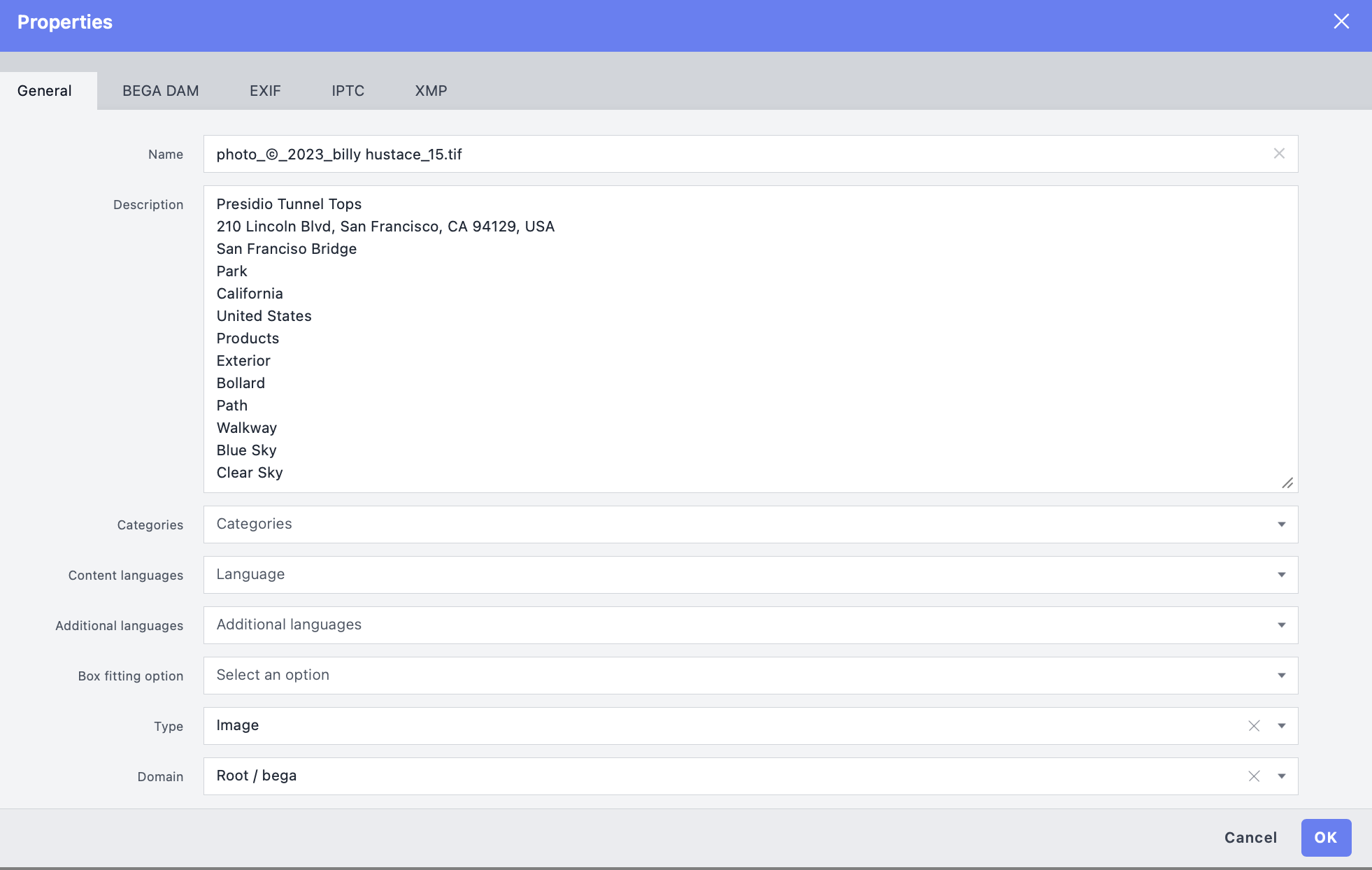
Product Overview
Managed product records and their full family structure: classifying each item by family group and sub-family, keeping required fields complete, and maintaining the technical documents attached to each product, including spec sheets, submittals, 3D models, and IES lighting files. The completeness bar flags anything still missing, so you can see at a glance which products are fully built out and which still need work. Keeping product data and its supporting docs in one place is what lets sales, marketing, and the website all pull from the same accurate source.
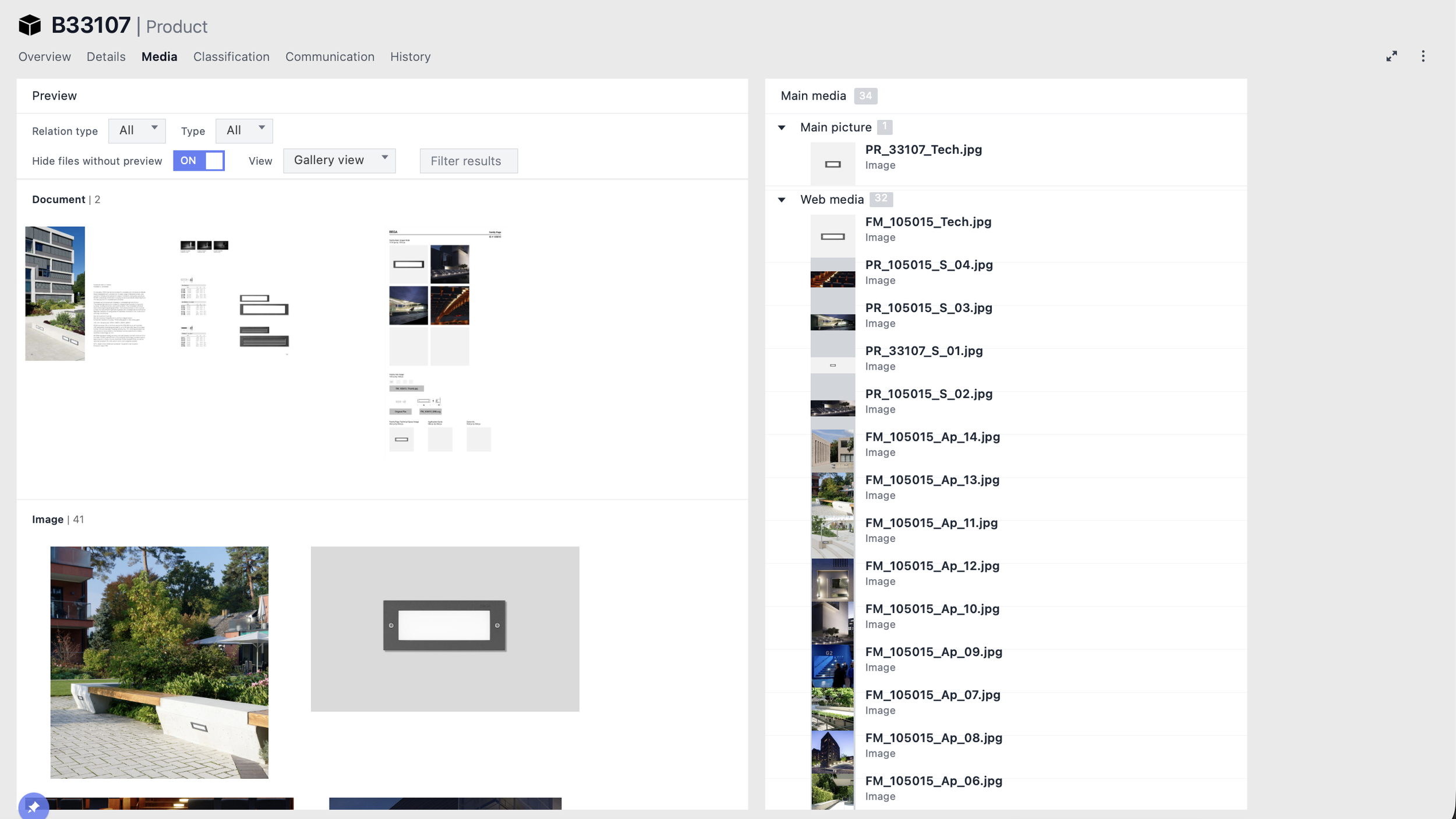
Image Management
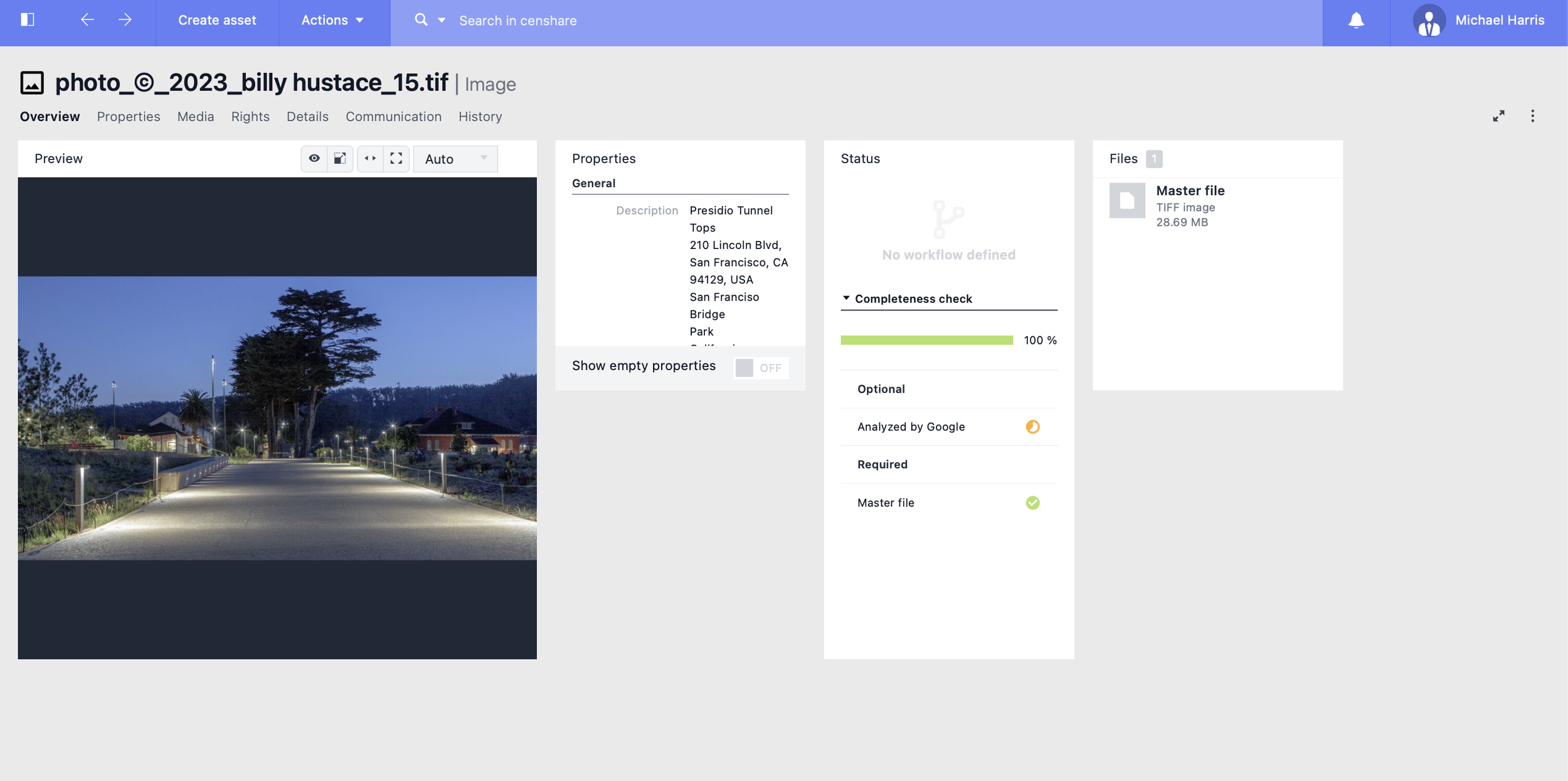
Managed complete asset records: consistent file naming, a verified preview, full metadata, and the high-res master file kept as the single source of truth. The completeness check hitting 100% meant the asset was fully tagged and ready to use, and the built-in Google image analysis helped auto-suggest tags that I'd review and confirm. Clean naming plus complete records is what makes anything findable in a library this size.
General BEGA DAM
Filled out the descriptive metadata for each asset: shoot location, setting, the specific products in the shot, and scene details like environment and sky conditions. A lot of this had to be researched, like identifying exactly where a photo was taken and which products appeared, so assets would be searchable by any of those terms and easy to pull later.
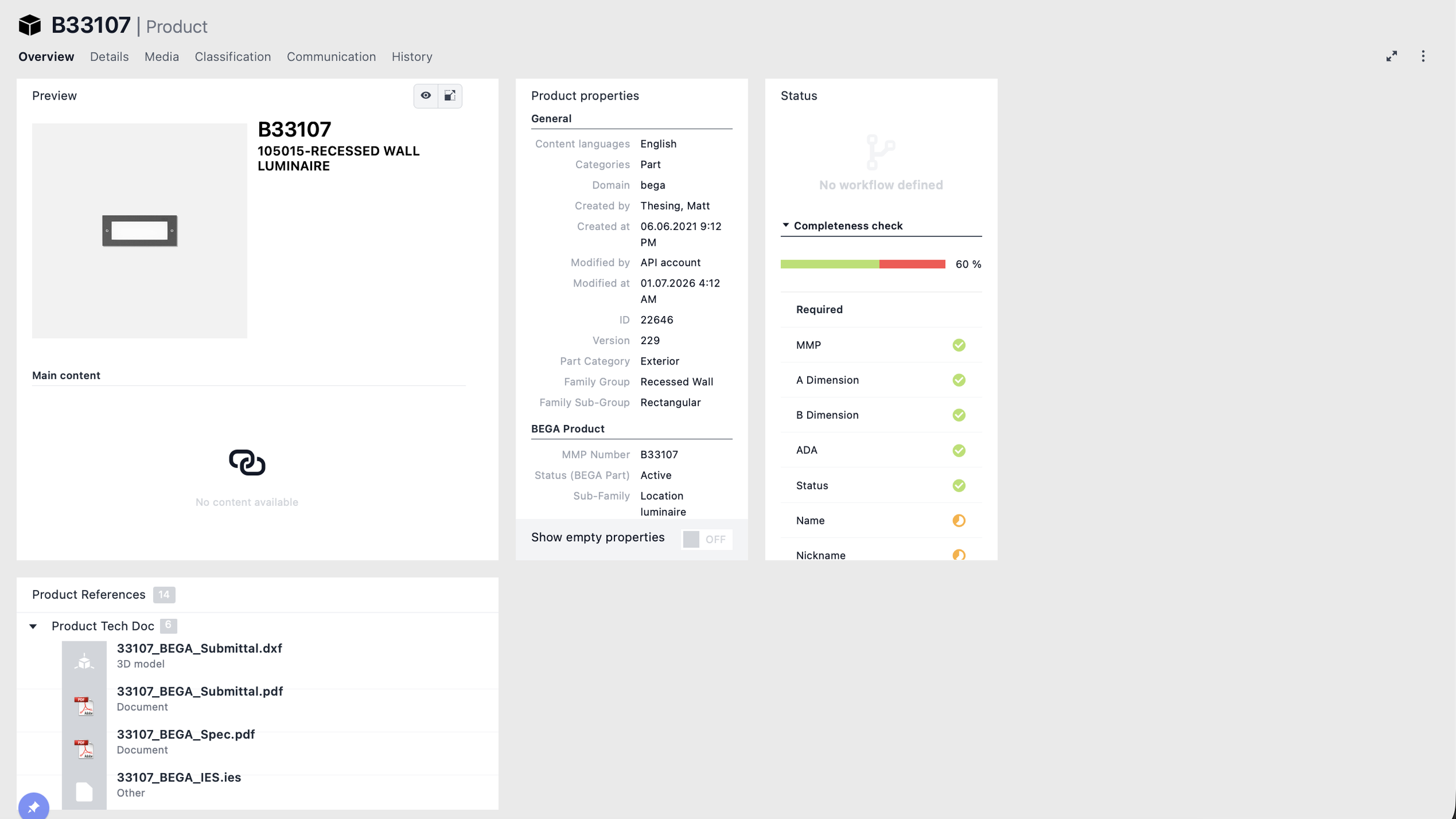
Web Media Assignment
Assigned and organized all the media tied to each product, designating the main product image versus the web-media set and linking dozens of application and detail shots to the right product record. Every file had to hit exact size and naming specs, because the website pulled images straight from here. If a file was the wrong dimension or misnamed, the product page would break or show the wrong image. This is the piece that connects the asset library to what customers actually see on the site.
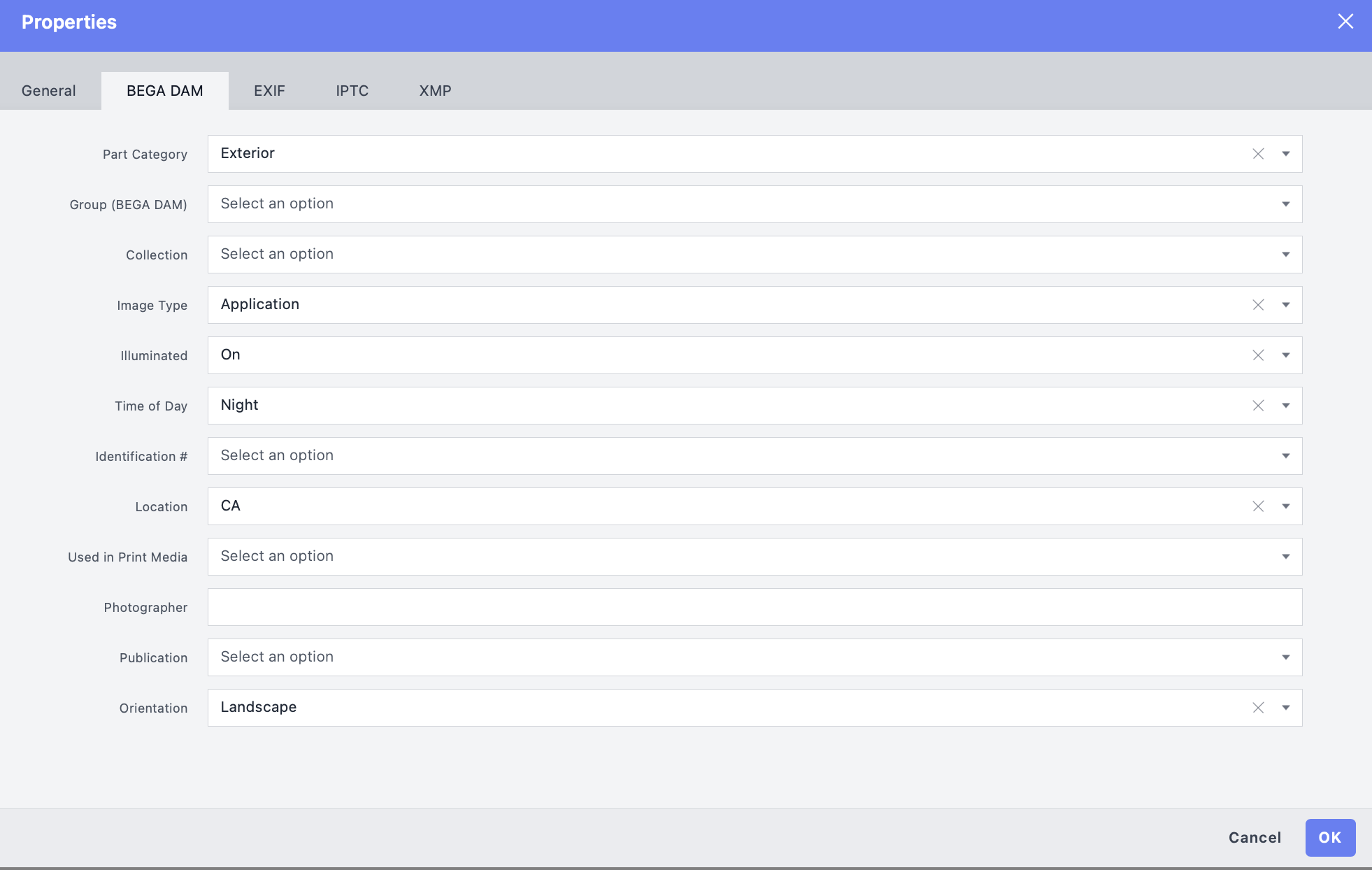
BEGA DAM
Classified each asset using BEGA's custom metadata schema, a set of controlled fields built specifically for a lighting brand: part category, image type (application vs. product shot), whether the fixture was illuminated, time of day, orientation, print usage, and photographer credits. Working inside a structured taxonomy like this keeps tagging consistent across the whole library, which is the difference between a DAM people can actually search and one that turns into a mess.